
Sherlock Scenario
Sherlock Overview
Can you determine evidences of port scan activity?
Log file: Desktop/ChallengeFile/port_scan.pcap
The only evidence was port_scan.pcap, a capture of 13,625 packets, which I opened in Wireshark.
What a SYN scan looks like
A TCP connection starts with a three-way handshake: SYN, SYN-ACK, ACK. A SYN scan (Nmap’s default) sends a SYN to each port and only waits for the reply. An open port answers with SYN-ACK, a closed port with RST. The scanner never completes the handshake, so the traffic is a flood of SYNs from one host to many ports, with very few connections ever finished.
Task 0: The scanner
What is the IP address scanning the environment?
To see connection attempts without the replies, I filtered for packets with the SYN flag set and the ACK flag clear:
tcp.flags.syn == 1 and tcp.flags.ack == 0
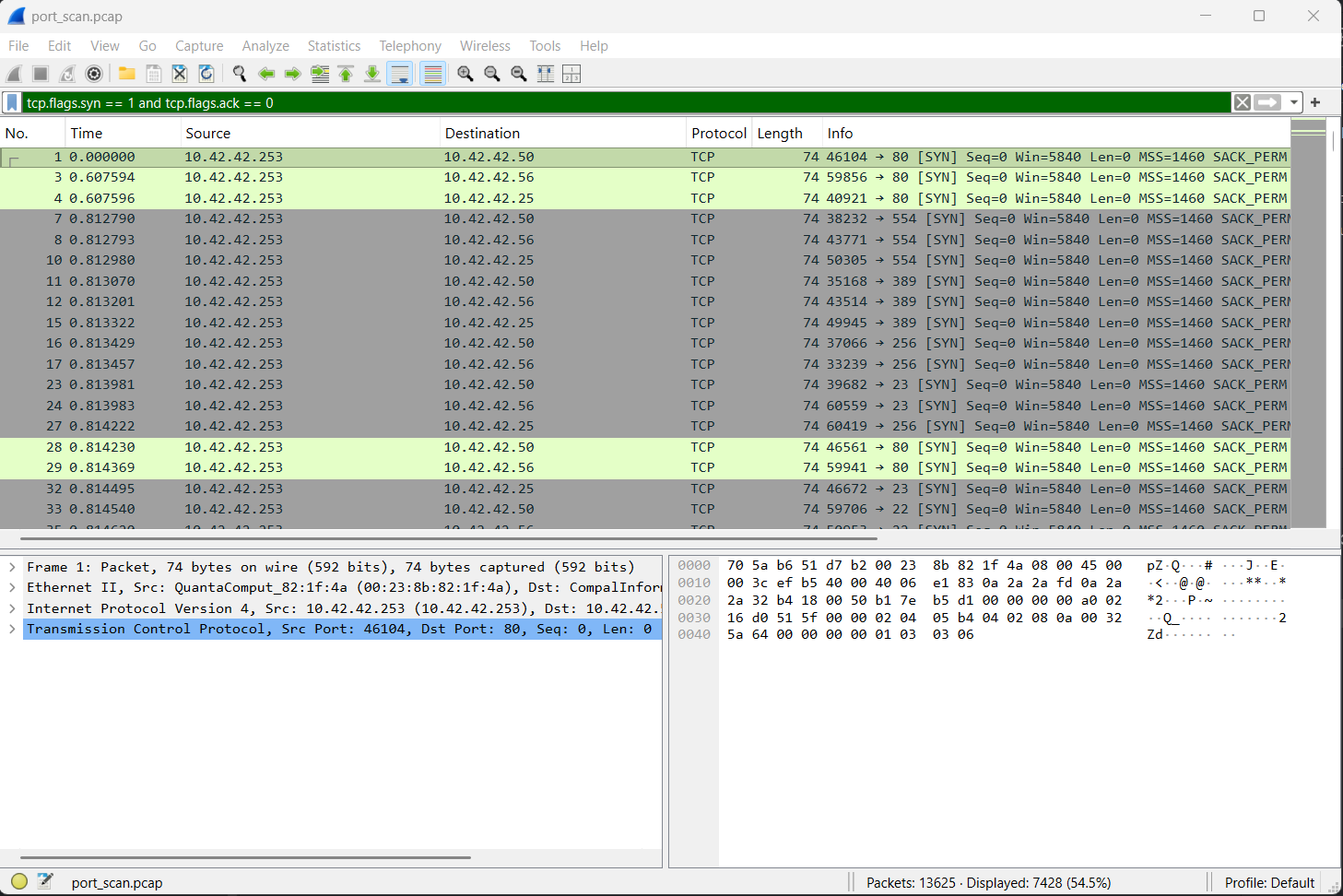
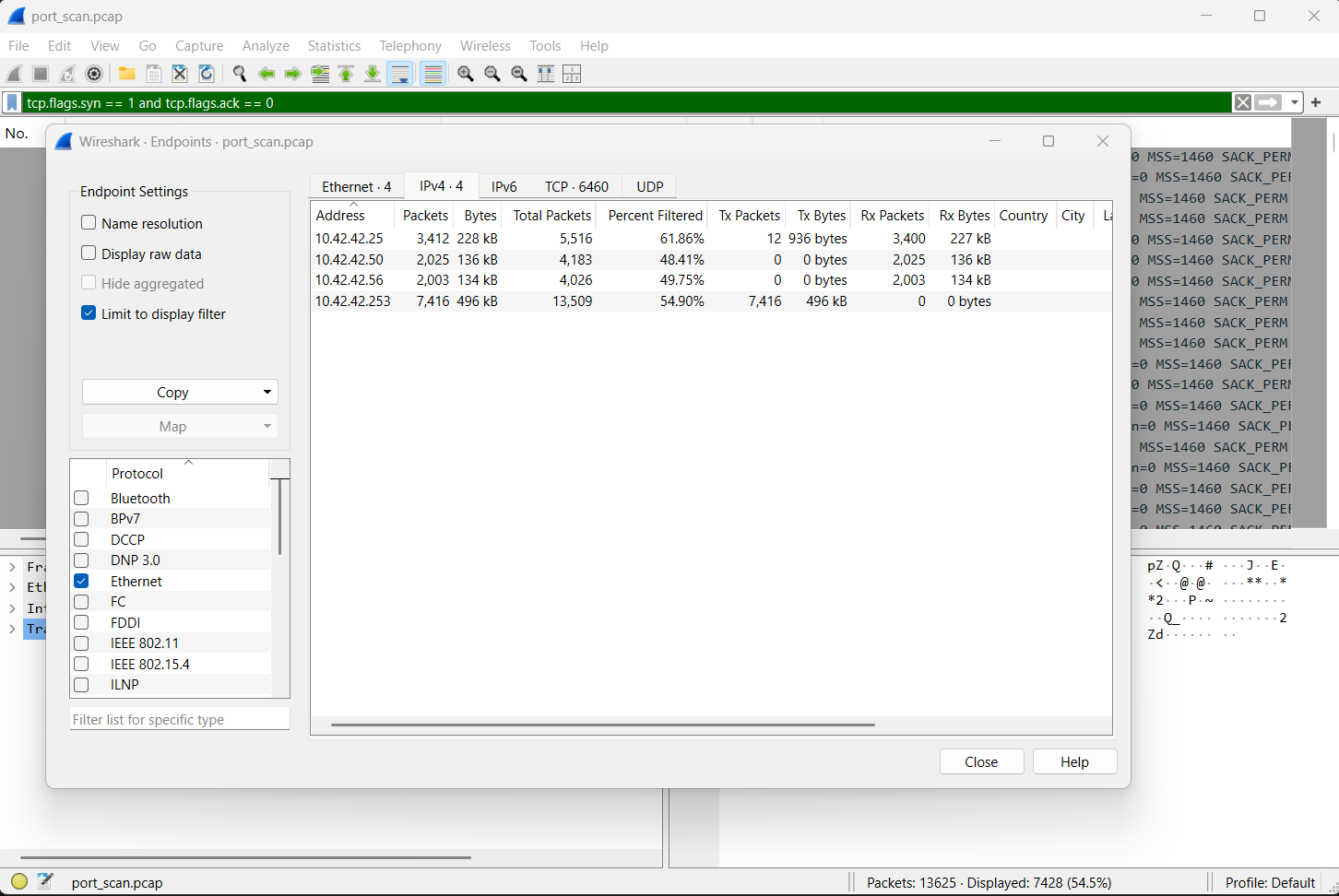
The filter matched 7,428 packets. 7,416 of them came from one host, 10.42.42.253, sweeping through thousands of ports on three machines (10.42.42.25, 10.42.42.50 and 10.42.42.56). The other 12 were 10.42.42.25 connecting to port 139 (NetBIOS) on 10.42.42.50, which is ordinary Windows file sharing. Statistics > Endpoints gives the same answer: 10.42.42.253 sent 7,462 packets, more than three times as many as any other host.
Answer
10.42.42.253
Task 1: The host the scan found
What is the IP address found as a result of the scan?
A scan “finds” a host when that host answers with open ports. Open ports reply with SYN-ACK, so I filtered for those:
tcp.flags.syn == 1 and tcp.flags.ack == 1
Every SYN-ACK in the capture came from a single machine, 10.42.42.50, so it was the only host with open ports for the scanner to report.
Answer
10.42.42.50
Task 2: The Apple system’s MAC address
What is the MAC address of the Apple system it finds?
The first three bytes of a MAC address identify the vendor that made the network card, and Wireshark resolves them to a name. Looking through the scanner’s conversations at the start of the capture, one machine’s address resolved to Apple_92:6e:dc:
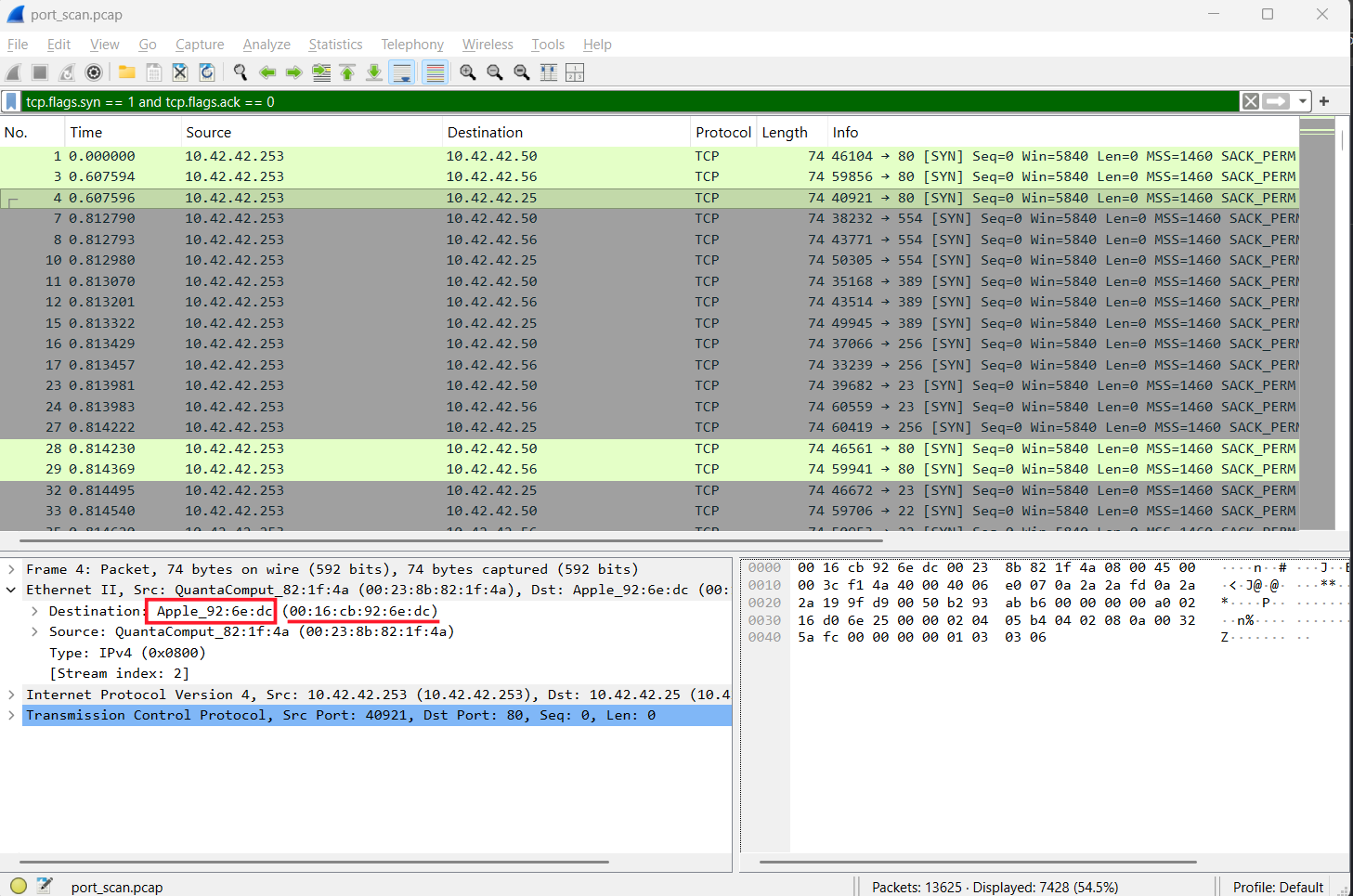
That is 10.42.42.25.
Answer
00:16:cb:92:6e:dc
Task 3: The Windows system
What is the IP address of the detected Windows system?
Fingerprinting an OS from its TTL
Every IP packet carries a Time to Live (TTL), which each router along the way decreases by one. Operating systems start from different values: Linux and other Unix systems use 64, Windows uses 128, and network gear such as Cisco devices often uses 255. All of these hosts were on the same subnet, so their packets arrived without passing a router and the TTL showed the starting value directly.
Each host’s TTL in the capture:
| Host | TTL | Likely OS |
|---|---|---|
10.42.42.25 | 64 | macOS (the Apple system) |
10.42.42.56 | 64 | Linux or Unix |
10.42.42.253 | 64, and 37 to 59 on probes | The scanner. Nmap gives its raw SYN probes a random TTL |
10.42.42.50 | 128 | Windows |
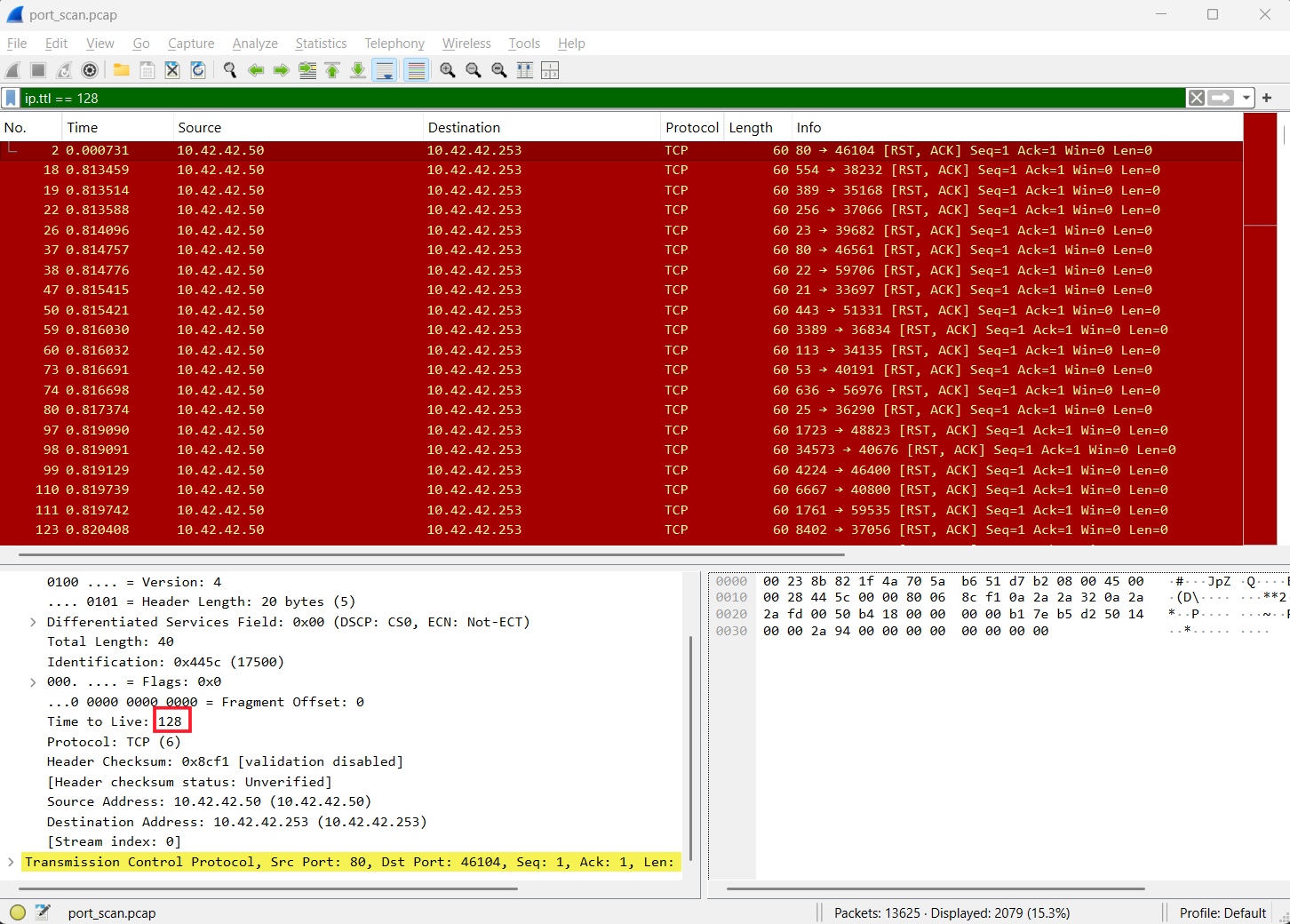
Only 10.42.42.50 replied with a TTL of 128, so it is the Windows system. It was also the only host with open ports in Task 1.
Answer
10.42.42.50
Similar
- HTB Sherlocks - Http Basic Auth: another short packet capture investigation
- HTB Sherlocks - Noxious: finding a rogue device on the network from its traffic