
Challenge Description
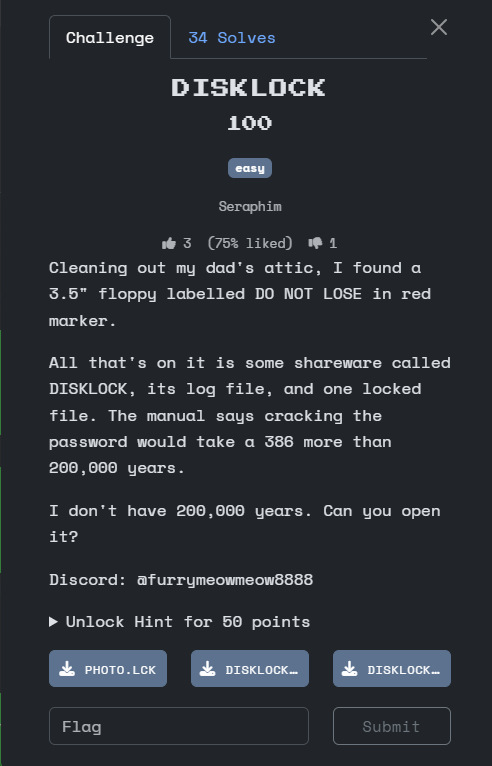
The challenge provided three files:
I checked DISKLOCK.LOG first to see what the program had done.
10-23-1991 21:02  DISKLOCK v1.0 started
10-23-1991 21:04  LOCK    PHOTO.BMP -> PHOTO.LCK   518454 bytes   OK
10-23-1991 21:04  DELETE  PHOTO.BMP                               OK
10-23-1991 21:05  DISKLOCK v1.0 exited
According to the log, DISKLOCK v1.0 had encrypted PHOTO.BMP as PHOTO.LCK, then deleted the original image. To recover it, I needed to work out how the encryption worked.
DISKLOCK.TXT explained the method:
 DISKLOCK uses our exclusive XOR-CRYPT(tm) technology. Every single byte of
 your file is combined with your password, over and over, from the first
 byte to the last. Because XOR-CRYPT(tm) does not compress or pad your data,
 a locked file is EXACTLY the same size as the original. No wasted disk
 space!
The instructions also said that passwords had to be exactly 8 characters long. This meant the program used an 8-byte XOR key repeatedly across the file, without changing the file size.
Eight known bytes are enough
The key repeats every 8 bytes. Knowing the first 8 bytes of the original image would let me recover the entire key without guessing the password. This is a classic Known-Plaintext Attack (KPA) against repeating-key XOR ciphers.
XORing an encrypted byte with its original value gives back the key byte:
K = C ⊕ P
Here, K is the key byte, C is the encrypted byte, and P is the original byte.
Luckily, BMP files have a predictable header. The first 8 bytes normally contain:
| Bytes | Meaning | Expected value |
|---|---|---|
| 0-1 | File signature | BM |
| 2-5 | File size | 4-byte little-endian integer |
| 6-7 | Reserved | 00 00 |
BMP Header Specification
Detailed structure and byte offsets of the standard 14-byte bitmap file header can be referenced in the Wikipedia BMP File Format guide.
Since the encryption preserves the file size, I could use the size of PHOTO.LCK for the header. Combined with the BM signature and two reserved zero bytes, that gave me the expected first 8 bytes of the image.
I wrote the following script to XOR this header with the encrypted bytes, recover the key, and decrypt the rest of the file.
from pathlib import Path

folder = Path(__file__).parent
data = (folder / "PHOTO.LCK").read_bytes()

# First 8 bytes of a normal BMP file
header = b"BM" + len(data).to_bytes(4, "little") + b"\x00\x00"

# Find the 8-character XOR key
key = bytes(data[i] ^ header[i] for i in range(8))
print("Password:", key.decode())

# Decrypt the file by cycling through the key
result = bytes(byte ^ key[i % 8] for i, byte in enumerate(data))

(folder / "PHOTO.BMP").write_bytes(result)

print("Done! Saved PHOTO.BMP")
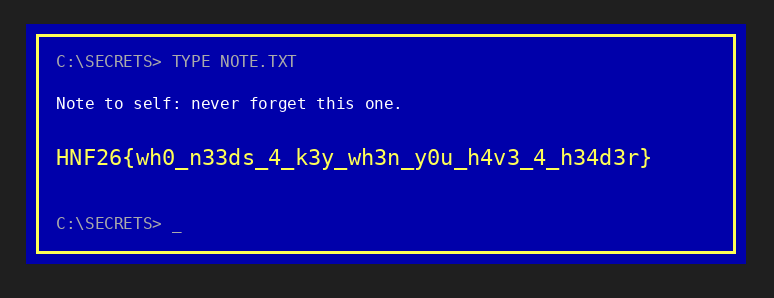
The i % 8 expression makes the script cycle through the recovered key as it decrypts each byte. The recovered password was FL0PPY91, and the script saved the decrypted image as PHOTO.BMP, which I opened to read the flag.
Flag
HNF26{wh0_n33ds_4_k3y_wh3n_y0u_h4v3_4_h34d3r}
Similar
- HNF26 - Twice-Used Page: another XOR-based cipher broken with a known-plaintext crib